
Theme
- 2026-06-03 19:14 PDT
- 731 words
- by betterwebsites.dev and raven
- tagged: #theme
- table of contents:
I rewrote this theme to better serve the needs of use-cases for myself as well as the general public to have a home on the web.
The idea is this: markdown, toml, html and css, when basically all prepared makes it simple and easy to work with, even if one isn’t tehcnically inclined.
The modern web is full of overly designed and flashy pages that don’t convey information well or in easily accessible fashion.
We should all have the ability to share ourselves our ideas, our art, our queerness to the world and I’m a firm believer that obtaining a domain and putting up a simple static site like this one is the future of the web.
This theme has existed in some form over the last few years and I’ve now redone lots of it to allow for improved blogging, news publishing, and even physical printing to augment the use of handouts and zines.
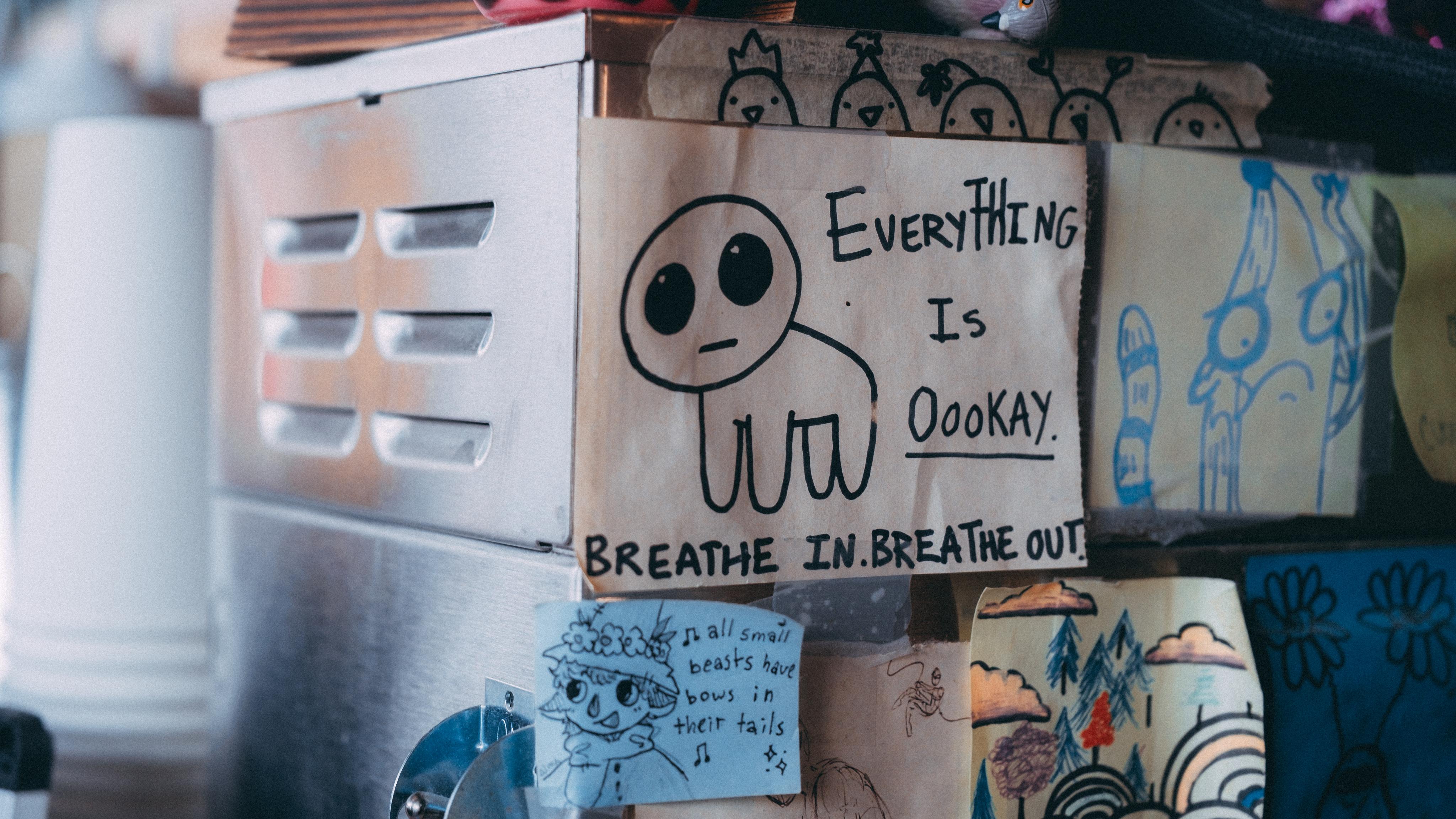
rewritten, but still the same in spirit
Note that this is a more detailed overview than the about page but does not walk the user through all the settings. Stay tuned for a second article on this site that will provide education on this.
ordered list
- link (will change color once visited)
- emphasis
- bold
blockquote
“Why is freedom so frightening? Is that even the question? Or is rather: How has freedom been made to seem so frightening that people find themselves longing for authoritarian rule?” (Judith Butler, 2024, “Who’s Afraid of Gender?”)
printing
when one prints this page, it looks like this:
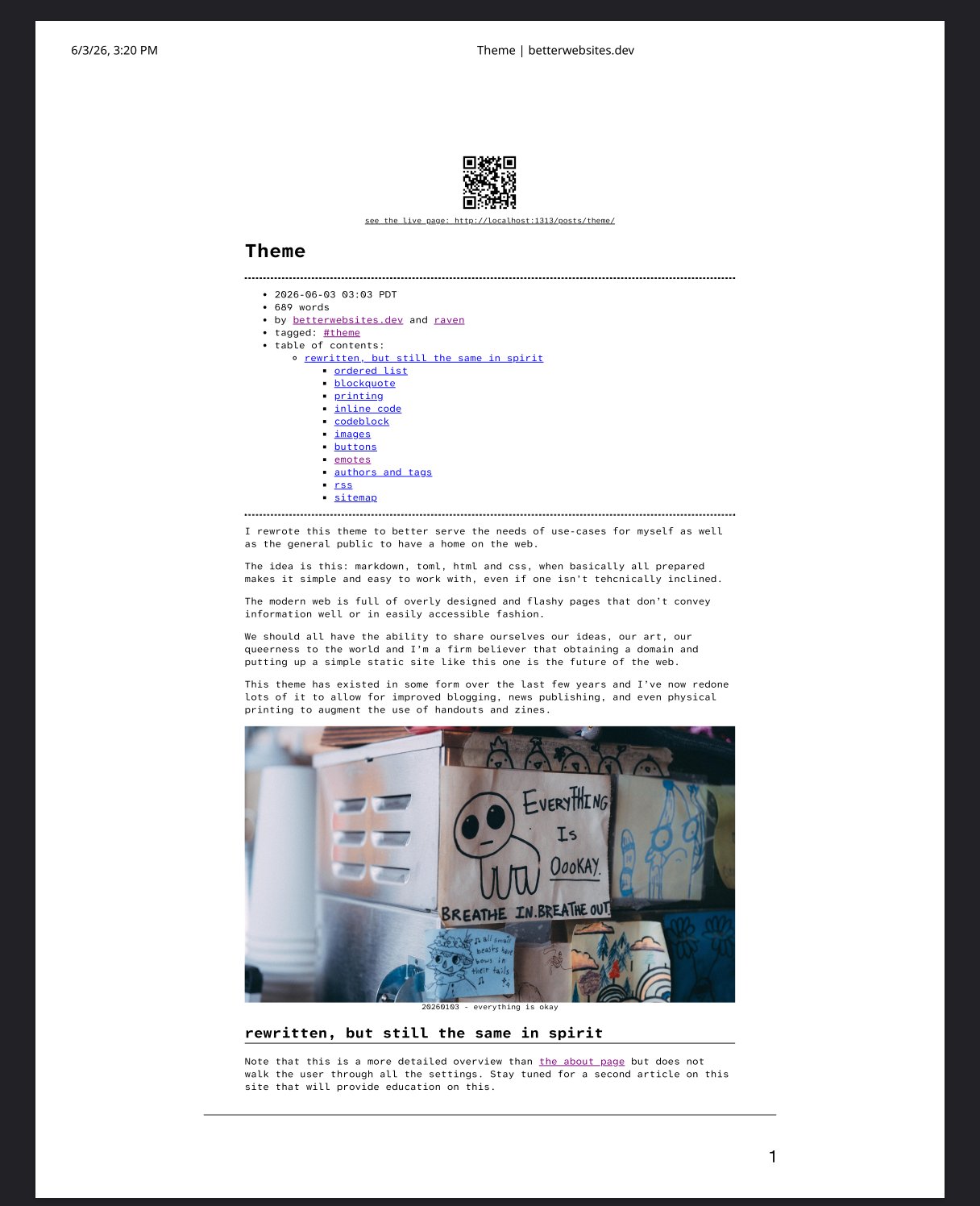
Hugo is creating QR codes for each page for us and css is styling it.
This allows for easy printing and distribution of posts, news, zines, whatever you want with a link and QR code to the live page that allows the reader to easily assess for updates to the page.
the pdf also supports links inside the document
inline code
nvim is really cool and i highly recommend it
codeblock
current nvim config file:
--use terminal colorscheme
vim.cmd('colorscheme vim')

-- options
vim.opt.tabstop = 2
vim.opt.expandtab = true
vim.opt.autoindent = true
vim.opt.hidden = true
vim.opt.number = true
vim.opt.wrap = true
vim.opt.linebreak = true
vim.opt.clipboard = "unnamedplus"

-- statusline
vim.opt.statusline = " %f [%{wordcount().words} words]"

-- backslash-shift-d will insert the date (only in normal mode)
vim.keymap.set('n', '<leader>D', ":put =strftime('%a %Y-%m-%d %H:%M:%S%z')<CR>")

--backslash-shift-s will toggle spellcheck!
vim.keymap.set('n', '<leader>S', function()
  vim.opt_local.spell = not vim.opt_local.spell:get()
end)

--vim.keymap.set('x', '<C-S-C>', "+y")
images
images use a hugo shortcode wrapped in a <figure> element like so:
{{<figure
  class="float-left"
  link="https://ravenwinters.org"
  rel=""
  src="img/authors/raven/profile.png"
  alt="raven's profile picture"
  width="400"
  caption="Raven Judith Winters"
>}}
which renders:

note how text flows around it. i find images really difficult to deal with on the web and this is so far the best method i have found. by default images are centered and full width of the body. options allow you to float the image left, right, or keep it centered. the left and right options are floated and inline whereas normal images are block displayed.

some of the background code driving this could probably use some improvements, but for now i find this good for my needs!
buttons
i have a love of 88x31 buttons and so there is special code to render them on the home page!
one should theoretically be able to put them anywhere tho:

emotes
emotes can be called with the shortcode:
only use this for inline paragraph styling {{< emote src="" >}}
only use this for inline paragraph styling

for other styling, use the figure shortcode:

authors and tags
the site uses hugo’s taxonomies and branching to create authors and tags
author pages will auto generate with each new author you place in front matter of your posts. the default page template will take whatever you put as your lead author in hugo.toml and plug them in as an author. each author can then create their own page with whatever they want in content/authors/yournamehere/_index.md. pages support multiple authors, with the byline automatically adjusting based upon 1, 2, or >2 authors.
rss
The rss is automatically set up and will display full-text of all entries
sitemap
at the bottom of each page is a sitemap with all pages, in the order of being last modified
to be continued,,,
look for updates on this page as i add to the features